Why Your HubSpot Portal Needs an Architecture Review
Most HubSpot portals don't become complicated overnight. They grow one property, workflow, integration and report at a time. A new sales process requi...


Businesses are under constant pressure to move faster, reduce manual work, and make better use of their data. As a result, many growing teams face the same question: should they invest in artificial intelligence, automation, or both?
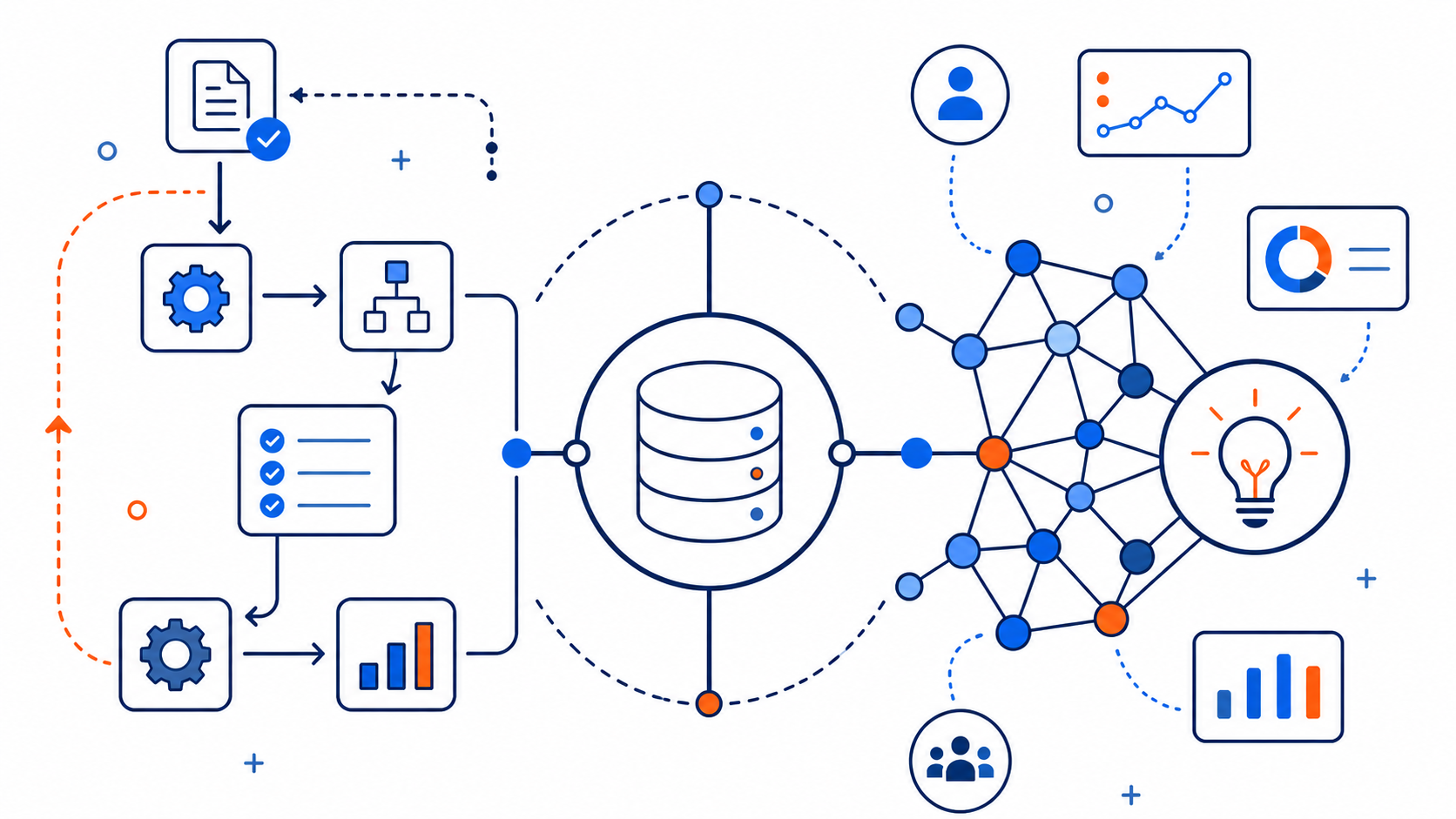
The answer depends on the type of work a business needs to improve. AI and automation are closely related, but they solve different operational problems. Automation executes repeatable tasks according to defined rules. AI interprets information, identifies patterns, and supports decisions when the right next step depends on context.
Understanding that distinction matters. Some businesses invest in AI when their more immediate need is a consistent process and better workflow automation. Others build rigid workflows for work that requires judgment, interpretation, or flexibility. Sustainable efficiency usually comes from using automation and AI together, in the right order, within a clearly defined operating process.
Automation follows predefined rules to complete repeatable tasks, while artificial intelligence (AI) interprets information, recognizes patterns, and generates outputs based on context. Businesses use automation for predictable processes such as lead routing and task creation. AI is better suited for activities such as summarizing conversations, researching prospects, and drafting personalized responses. Many businesses benefit from combining both technologies.
A simple way to distinguish the two is to think of automation as instruction-following and AI as context interpretation. Automation works best when a process can be described with a clear trigger and outcome. AI is more useful when the input varies, the context changes, or the work benefits from pattern recognition and language-based assistance.
In practical terms, automation asks, “When this happens, what should happen next?” AI asks, “Given this information, what is most relevant, likely, or useful?” Automatically assigning a lead based on territory is an example of automation. Summarizing a sales call, identifying buying signals, or drafting a follow-up based on the conversation is an example of AI.
|
Feature |
Automation |
Artificial intelligence |
|---|---|---|
|
Primary purpose |
Execute predefined processes |
Interpret information and generate insights or outputs |
|
Best suited for |
Repeatable, rules-based tasks |
Variable, context-dependent tasks |
|
HubSpot example |
Assign a lead based on territory |
Summarize a sales conversation |
|
Main advantage |
Consistency and predictability |
Flexibility and contextual assistance |
|
Main limitation |
Cannot handle undefined exceptions without additional logic |
Can produce inaccurate or inconsistent outputs |
|
Human oversight |
Needed for setup and exceptions |
Especially important for consequential decisions and external communications |
Automation uses predefined logic to complete tasks with consistency and speed. When a trigger and outcome can be clearly defined, automation is usually the right approach. A form submission can create an internal notification. A deal moving to a new stage can create a task. A lead can be routed based on geography, company size, or lifecycle stage. A contact can be enrolled in a nurture workflow after downloading a resource.
The strength of automation is reliability. Once the process is mapped correctly, automation reduces manual effort, improves handoffs, and helps teams scale repeatable work without requiring someone to monitor every step. It also creates accountability by making ownership, timing, and follow-up expectations more consistent.
Automation does have limits. It does not interpret information or make judgments outside the rules it has been given. If the process is unclear, the data is inconsistent, or exceptions occur frequently, a rule-based workflow can break down quickly. Automation is most effective when the business understands the process it is trying to automate and has defined the conditions that should guide each outcome.
AI helps systems handle work that involves interpretation, variation, and probability. Rather than following only static rules, AI can use patterns in data to generate content, classify information, make predictions, or assist with decisions.
Common business applications include creating first-draft email content, summarizing meetings and support conversations, recommending next steps for sales or service teams, classifying inbound inquiries by intent or urgency, extracting meaning from unstructured text, and supporting conversational experiences such as chat assistants.
The main strength of AI is flexibility. It can help teams move faster in areas where manual review, research, or first-draft work previously consumed significant time. AI can support people as they review conversations, qualify leads, organize information, and respond to customers.
AI also depends on structure. It performs more consistently when the underlying data model, business rules, workflows, and quality standards are clear. Without that foundation, AI may generate outputs that vary in quality or are difficult to connect to the next operational step. AI can assist with interpretation, but it does not remove the need for clear processes and human oversight.
One of the most common misconceptions is that AI makes automation unnecessary. In practice, AI and automation usually address different parts of the same operational challenge. Automation handles execution, while AI supports judgment, interpretation, prioritization, and content generation.
A mature process may use both technologies in sequence. Automation first moves the work to the right place. AI then interprets the available context or generates a useful output. Automation can carry that output forward by assigning the next task, updating the appropriate record, notifying the right team, or triggering a follow-up action.
Consider a support process. Automation can create a ticket when a request arrives. AI can summarize the issue, identify a likely category, and suggest a response draft. Automation can then route the ticket to the appropriate team and trigger the required service-level follow-up. The efficiency comes from connecting the technologies to a shared process, not from using either one in isolation.
For businesses looking to connect AI with existing processes, AI workflow automation combines contextual AI capabilities with defined business rules, workflows, and system integrations.
Automation is often the better first investment when a team repeats the same manual steps every day, experiences inconsistent handoffs, or has documented workflows that are not executed consistently. It is also a strong starting point when the business needs speed, consistency, and accountability more than prediction or interpretation.
This is especially true when a CRM process is still being standardized. If a team is still asking who owns a lead, what should happen when a deal reaches a particular stage, or when a follow-up is due, automation can create value faster than AI. It forces the business to define triggers, ownership, lifecycle stages, and follow-up expectations.
Those improvements are foundational. They create operational clarity, improve data quality, and establish the structure that later AI initiatives can rely on. Automating an unclear process does not solve the underlying problem, but designing the process clearly makes automation both useful and maintainable.
If your workflows, lifecycle stages, or data structure have become difficult to manage, a HubSpot architecture review can help identify underlying issues before introducing additional automation or AI.
AI becomes more valuable after the core workflows are structured and the team is spending too much time on work that requires interpretation. This may include reviewing large volumes of text, summarizing conversations, drafting content, researching accounts, qualifying inquiries, or deciding which information deserves attention first.
At that stage, AI can reduce friction without requiring the business to add the same amount of headcount. It can help sales representatives prepare for conversations, help marketers produce and refine content, help service teams review cases, and help operations teams organize unstructured information.
The key is to apply AI where variation and context exist. If a task can be completed reliably with a simple rule, automation is usually more appropriate. If the task depends on language, meaning, probability, or changing circumstances, AI may provide more value.
For teams using HubSpot, the distinction becomes especially practical. Automation may include workflow enrollment triggers, property updates, lead rotation, internal notifications, task creation, lifecycle stage progression, and deal or ticket routing. These functions help ensure that predictable actions happen consistently within the CRM.
AI may support content drafting, conversation summaries, call insights, follow-up preparation, recommendations, classification, and knowledge-based service experiences. These capabilities can help teams interpret information and produce useful outputs more quickly.
The most effective HubSpot setup is not about choosing one technology over the other. It is about aligning both with the way the business operates. Automation can route leads, assign owners, enforce follow-up timing, and maintain CRM consistency. AI can help draft outreach, summarize calls, identify relevant context, and support prioritization. The CRM provides the shared structure that connects those activities to the same lifecycle, pipeline, and reporting model. Primo Coding's HubSpot implementation and optimization services help businesses structure their CRM, automation, integrations, and reporting around the way their teams actually work.
When that alignment is missing, teams may produce impressive AI outputs that never become part of the actual workflow. A summary that is not stored in the right record, a recommendation that does not trigger a next step, or a draft that is disconnected from the sales process may save a few minutes without improving execution. The goal is to connect AI assistance to an operational path the team can follow.
Consider a sales team using HubSpot to identify and engage potential customers.
A workflow can identify contacts that meet defined eligibility criteria and route them into an appropriate prospecting process. An AI agent can research relevant company information, identify potential opportunities, and prepare personalized outreach.
Before an email is sent, the team should verify that the contact still works at the company and that any claims in the message are supported by reliable information.
Once the outreach is approved, the business can use its configured sales processes to manage follow-ups, track engagement, and measure outcomes.
In this example, automation provides structure, AI assists with research and drafting, and people remain responsible for accuracy and relationship-building.
For a closer look at when AI agents make sense, how they work alongside workflows, and where human oversight belongs, read our guide to HubSpot Agent Builder and custom agents.
When deciding where to focus, start by examining the work itself. Automation is usually a strong fit when a task is repeatable, rule-based, high volume, time-sensitive, and easy to define with clear triggers and outcomes. Lead routing, notifications, record updates, task creation, and stage-based follow-up are common examples.
AI is generally a better fit when a task is contextual, language-heavy, interpretation-based, or variable from one case to the next. Summarizing a conversation, classifying an inquiry, drafting a response, identifying patterns, and recommending a next step all depend on information that may not follow a single predictable path.
Use both when a process needs a structured trigger, a contextual output, and a downstream action based on that output. In this model, automation provides the operational spine of the process while AI supports the points where human effort is still being consumed by interpretation or first-draft work.
Before investing in a new tool, ask:
If the process is predictable, start with automation. If it requires interpreting variable information, evaluate AI. If it requires both, design the workflow and AI capabilities together, with appropriate review and safeguards.
For a growing team, the goal should not be to add AI simply because it is receiving attention. The goal is to improve execution in a measurable way. That requires asking a few practical questions before selecting a tool or designing a workflow.
What process are you trying to improve? Where does manual work slow down revenue generation or service delivery? Which steps are predictable, and which require interpretation? Is the CRM structured clearly enough to support automation and AI? How will you measure whether the change saves time, improves response quality, increases consistency, or produces a better customer experience?
These questions help keep technology connected to business outcomes. The value does not come from adding more tools. It comes from connecting the right capabilities to a process the team understands, can operate, and can improve over time.
For many growing organizations, this means starting with the basics: define the lifecycle, clarify ownership, standardize the workflow, and improve the quality of the data. Once that foundation is in place, AI can be introduced where it adds meaningful support rather than being asked to compensate for unclear processes.
Not sure whether your business is ready for AI? Take Primo Coding's free AI Readiness Assessment to evaluate your goals, processes, data, technology, and team readiness before deciding what to implement.
AI and automation work best when they're solving clearly defined business problems.
Automation creates consistency across repeatable processes. AI helps teams interpret information, identify opportunities, and handle work that requires context. Combining them can improve efficiency, but only when the underlying data, workflows, and business rules are reliable.
Before investing in additional AI tools, it's worth reviewing how your current systems operate and whether they're ready to support those capabilities.
Primo Coding helps businesses evaluate and improve their HubSpot architecture, workflows, integrations, and AI readiness.
Whether you're trying to eliminate manual work, introduce AI agents, or connect disconnected systems, we can help identify the right next steps.

Most HubSpot portals don't become complicated overnight. They grow one property, workflow, integration and report at a time. A new sales process requi...

For many small businesses, the challenge is not whether AI matters. It is knowing where to begin without wasting time, creating risk, or adding more t...
Buying HubSpot is often the easy part. The harder question is what happens after the contract is signed, the portal is provisioned, and the implementa...